Download Winlator Ludashi v4.1 APK
Get the Android package, check your device requirements below and leave enough free storage for the first setup. The APK is 551.4 MB; installed components and your games need additional space.
Android only. Back up existing containers before changing installations.
Want to try a Windows game on your phone without streaming it from a separate computer? This Android application provides a configurable environment for compatible desktop software. It uses Wine alongside CPU translation components to run supported Windows programs on ARM hardware. Games still run on your device, so graphics capability, memory and cooling all matter.
The Ludashi build uses a package identity associated with a benchmarking application. On some phones, that identity can influence the performance profile selected by the device software. It does not add processing power, remove every thermal limit or make an incompatible game work. Think of it as one build choice within the Bionic family, rather than a universal speed upgrade.
Version 4.1 follows a redesigned interface introduced in the 4.x series. You can organise game entries, manage containers and adjust settings around individual titles. The useful starting point is a modest game and a repeatable test, not somebody else’s most aggressive configuration.
Winlator Ludashi Features and Settings
The main benefit is control over the environment around a game. These are the settings worth understanding before changing presets.
Separate Containers for Different Games
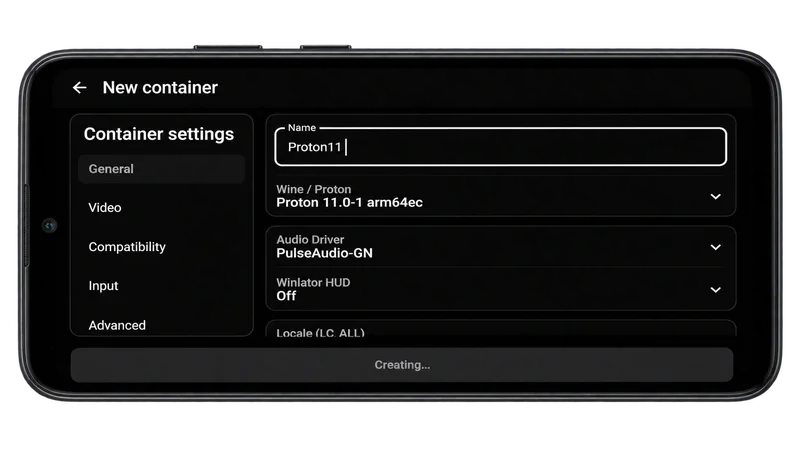
A container keeps a Windows-style environment and its configuration together. Give it a recognisable name and keep experimental settings separate from a working setup. Available Wine or Proton components, graphics options and compatibility settings depend on the build and installed components. A lightweight older title may need a very different configuration from a newer game, so one container does not have to serve everything.
Local Windows Application Support
The software translates supported Windows behaviour rather than installing a complete desktop operating system. Your application still needs compatible instructions, graphics support and any required runtime components. A successful installer is only the first check: menus, audio, controls and actual gameplay also need testing. Games with restrictive launchers, unsupported services or particular protection systems may not run.
Touchscreen and Controller Profiles
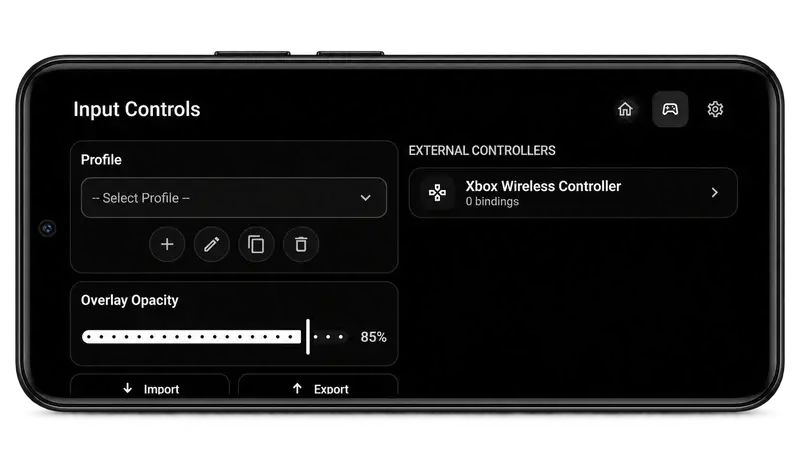
Input profiles let you arrange touch controls and map actions around a game. Keep frequently used buttons within reach and reduce overlay opacity if controls cover important details. External-controller configuration is also available, although recognition and button mappings depend on the controller and device. Test movement, camera control and menu navigation before committing to a longer session.
Graphics Drivers and Rendering Choices
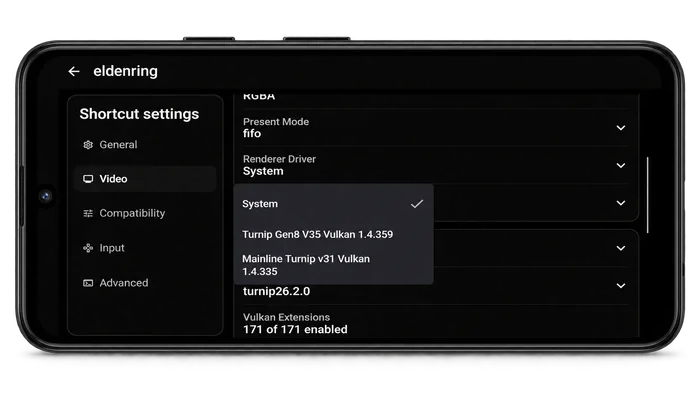
Graphics options can make the difference between a working picture and a black screen. The 4.x builds include renderer changes, while driver and translation choices still depend on the GPU and application. Turnip-related options are relevant to compatible Adreno hardware; they are not a universal answer for every chipset. Change one setting, restart the application and compare the same scene before making another adjustment.
Per-Game Compatibility Adjustments
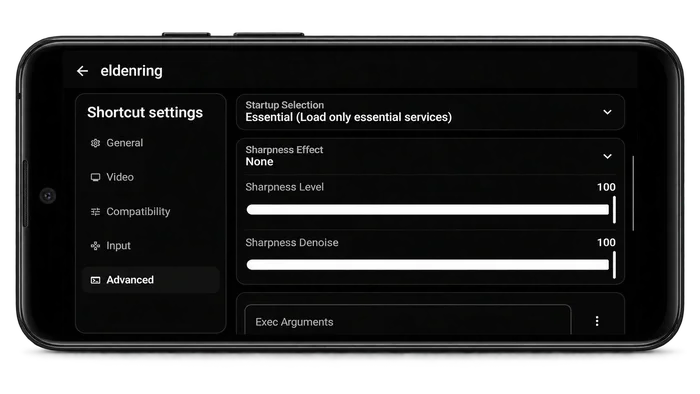
A shortcut can carry settings suited to a particular title. Resolution, startup options and compatibility components should be chosen to solve an observed problem, not switched on because their names sound faster. Keep a note of the last working configuration. If an experiment introduces stutter, broken textures or crashes, that record makes it easier to return to a stable baseline.
A Free Launcher, with Your Own Game Files
The launcher itself does not include a collection of commercial PC games. Use software you are entitled to run and keep its installation files organised. Different games have different dependencies and storage needs. Being able to add a title to the library is useful, but it is not a guarantee that its engine, launcher or online features are compatible.
How to Install Winlator Ludashi on Android
Use a current backup before replacing an existing installation. The 4.1 release requires reinstallation, so do not assume it will behave like a routine in-place update.
- Check that your phone uses 64-bit ARM hardware and Android 9 or later. Confirm the package you downloaded matches the Android build you intend to install.
- Save the APK, then open it from your browser downloads or file manager. If Android blocks installation, review the install permission for that specific application.
- Complete installation and launch the app. Allow its initial environment setup to finish before importing files or changing components.
- Keep your game installers in an organised folder. Grant file access only as needed to locate the files you plan to use.
- Create a clearly named container or game entry. Start with the available defaults and a small, familiar application before trying a demanding title.
Winlator Ludashi Requirements and Compatibility
Meeting the installation requirement does not establish game compatibility. Plan storage for the application, its environment and each game separately.
| Requirement | Android setup |
|---|---|
| Operating system | Android 9 or later for the current build |
| Device architecture | 64-bit ARM (arm64-v8a) |
| APK download | 551.4 MB for version 4.1 |
| Working storage | Additional room for extracted components, installers and game files |
| Graphics | A compatible GPU, driver and renderer combination |
| Memory and cooling | Game-dependent; compare actual stability and sustained performance |
There is no single RAM figure or processor name that guarantees every Windows game will run. A phone may open a title but struggle after several minutes as heat builds up. Start at a lower resolution and compare both responsiveness and stability. The package provided here is for Android; it is not an iPhone application.
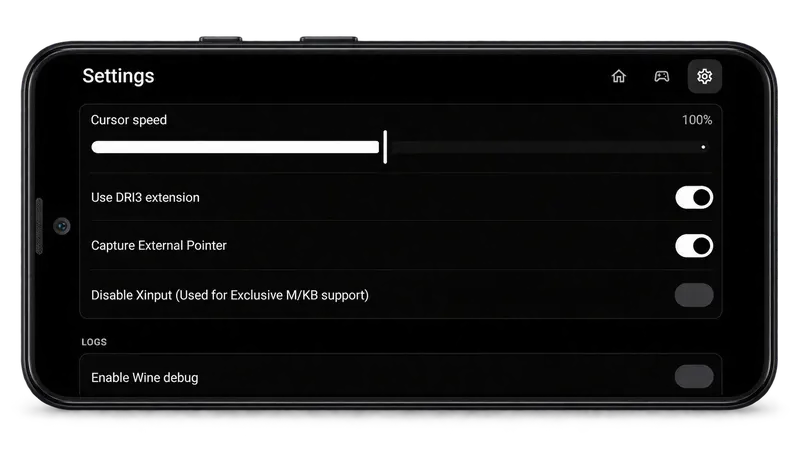
How to Set Up Winlator Ludashi for Your First Game
Choose a title with manageable requirements and keep the first test simple. A repeatable baseline is more useful than changing several presets together.
- Create an entry with a descriptive name and select the environment components available in your installation. Keep the initial configuration easy to reproduce.
- Locate the installer or executable in the file manager. Install any legitimately required application components inside the appropriate environment.
- Start at a modest resolution. If the picture is incorrect, review the renderer, graphics driver and DirectX translation choice for your hardware.
- Choose an input profile or connect your controller. Check buttons, camera movement and pause/menu controls before starting normal play.
- Launch the same scene for each test. Change only one option at a time and keep the combination that remains stable, even if another preset briefly reports a higher frame rate.
Ludashi vs Vanilla and RedMagic Builds
These build names describe different package identities. Choose for your device and installation needs rather than expecting every variant to be faster.
| Build | Package approach | What to consider |
|---|---|---|
| Ludashi | Benchmark-style package identity | Some devices may select a different performance profile; results vary. |
| Vanilla | Standard package identity | Useful when a standard installation identity better suits your setup. |
| RedMagic | Gaming-app-style package identity | Targets device-specific behaviour on supported RedMagic phones. |
The package label is only part of the setup. Your GPU driver, renderer, game engine and cooling behaviour remain important whichever build you choose.
Conclusion
A good setup is the one that runs your chosen application reliably on your own hardware. Download the matching Android package, keep a backup and build a working baseline before experimenting. With organised containers, sensible graphics settings and a usable control profile, it becomes much easier to identify what actually helps and what needs a different approach.